
-

MCX
Cybertel Bridge delivers a complete portfolio of MCX solutions, from core servers to operational and field-level tools, designed to support every layer of mission-critical communication with flexibility, reliability, and industry-grade performance across diverse environments and use cases.
GIS
-
Location-Enabled Group Management
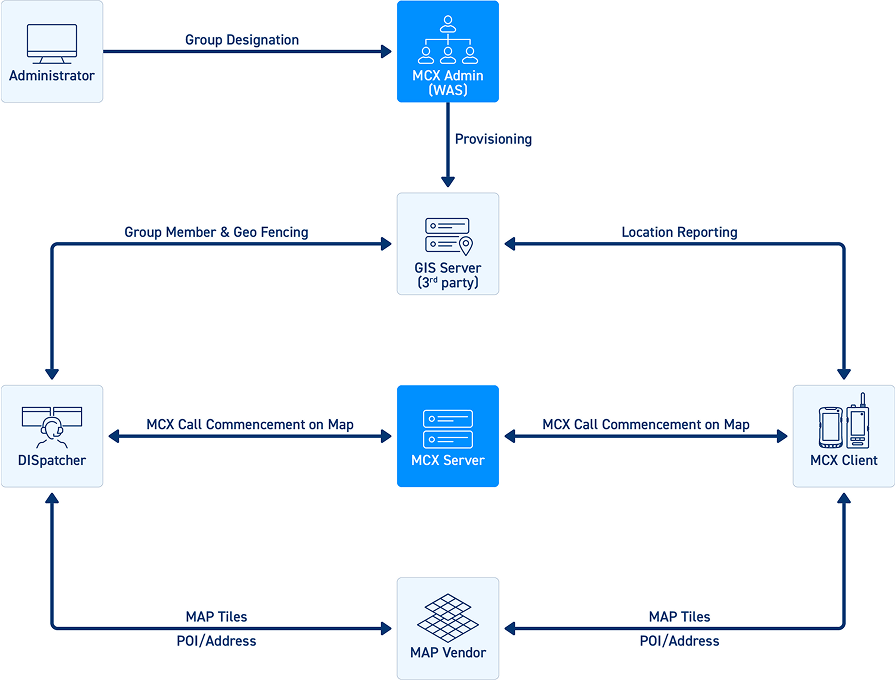
Group Designation: Agency Administrators can designate groups as location-enabled.
-
Permission Management
- - Location Viewer: Allows members to view location data.
- - Location Producing Disabled: Restricts members from sharing their location.
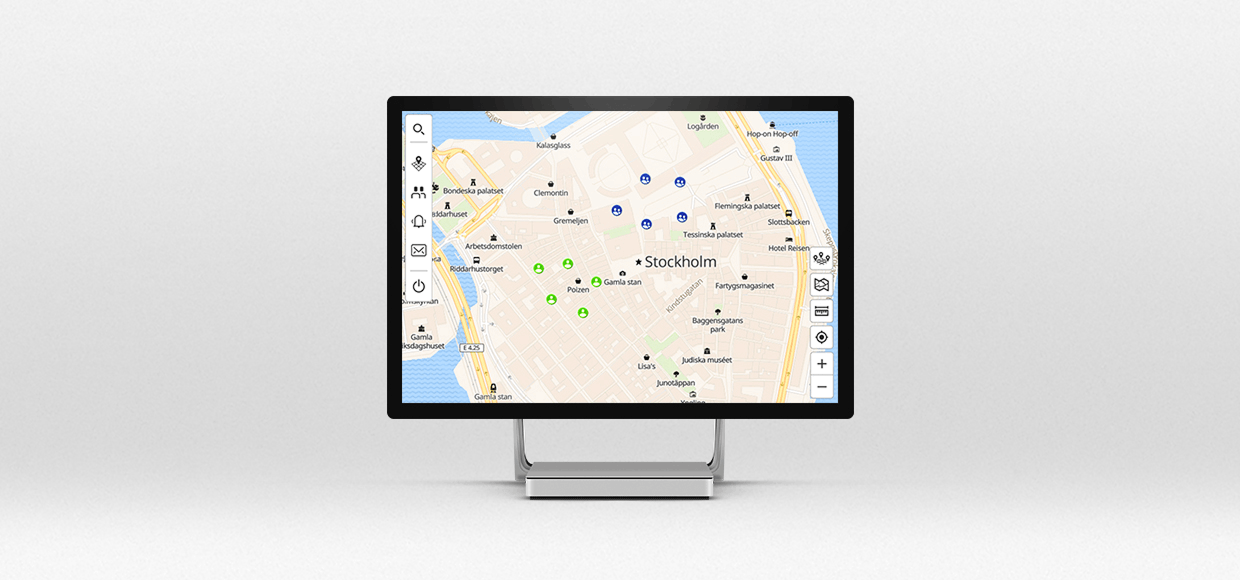
GIS permission management interface showing location viewer and location sharing control settings -
Location Reporting
- Periodic location updates to the GIS server (default interval: 600 seconds).
- Storage of reported location data and user location history.
-
Location Viewing
- Display of individual user location on the map.
- Visualization of group members’ locations.
-
Location Searching
- Search functionality for group members' locations.
- POI (Point of Interest) and address-based searches.
-
Location Tracking
- Real-time tracking of individual and group member locations (Snail Trail).
Access to historical movement paths.
-
MCX Services on Map
- Initiate 1:1 MCPTX private calls (voice, video, and messages) directly from the map interface.
- Ad-hoc MCPTT group call initiation for voice communication.
-
Geo-fencing Features
Create polygon-based geo-fences for location-enabled groups.
Receive entry and exit alerts from the GIS server.
- Support for ad-hoc MCPTT group calls within geo-fenced areas.
- Automatic call invitations/releases based on geo-fence alerts.
-
Tile Map Service Integration
Interoperability with third-party map platforms via Tile Map Service (TMS), a specification by the Open Source Geospatial Foundation.
Supports multiple map vendors including OpenStreetMap (OSM), Google Maps, MapBox, and HERE Maps.
-
Map Vendor Services Configuration
- Customers must subscribe to their preferred map vendor services and obtain service keys.
GIS System Administrators configure map vendor details and API keys via the GIS GUI using secure web authentication.
GIS map configuration screen with third-party map vendor integration and API key settings
